Brand New Disposable Vape Not Charging?
Quick answer: in most cases the device is fine and something in the chain between the wall and the battery is not. Work in this order and stop at the step that fixes it: confirm the device is rechargeable at all, check it is not already fully charged, swap the cable, swap to a low-power source, clean the port, then give a flat battery a full 30 minutes before judging it. Only a device that shows no light and no screen response after all of that, on a cable and source you have proven work on something else, is genuinely dead on arrival, and that one goes back to the seller. The steps below are that ladder, in order.
Table of Contents
Start Here: Is It Actually Rechargeable?
This sounds insulting until you know how often it is the answer. A large class of disposables has no charging port at all: the battery is sized to the liquid and the device is done when either runs out. Turn the device over and look at the base. A USB-C port means rechargeable. A smooth base with nothing but airflow holes means it is not, and no cable will change that. The Breeze Pro from this site’s lifespan guide is the classic example: a 1,000mAh battery and no port to charge it through.
While you are looking at the base, check for a clear protective film or a small rubber plug sitting over the port itself. Some devices ship with the port covered, and a cable pushed against a film feels plugged in while connecting to nothing.
If the port is there, uncovered, and the device still does nothing, keep going down this page. If the device also fails every other brand-new check, plugs, seals and first puffs included, the full unboxing diagnosis lives in brand new disposable vape not working.
Read the Light First
Before changing anything, plug the device in and watch what it does for ten seconds. The indicator is the device telling you which rung of the ladder you are on:
What you see | What it means | Your next step |
No light, no screen, nothing | No power is reaching the battery, or the battery is too flat to answer yet | The no-light ladder below |
Solid light, or screen showing a rising percentage | Charging normally | Nothing. Wait for full (see the times below) |
Blinking while plugged in | Connection made, charge refused or interrupted: full battery, a protection trip, or a poor connection | Reseat the cable; if it persists, swap cable and source (steps 2 and 3) |
Light comes on, then goes off within a minute | Usually already fully charged | Try using it. Step 1 of the ladder |
Screen lights but shows an error or frozen icons | The device is awake but unhappy: often heat or a glitch | Unplug, let it rest 10 to 15 minutes, then charge again on a low-power source |
The No-Light Ladder
Work these in order. Each step rules out one link in the chain, and most devices wake up by step 3.
Try using it first. A disposable that is already fully charged often refuses to show any charging behaviour at all, because there is nothing to charge. If it vapes normally, it was never flat; new devices can also sit in storage long enough to self-discharge, which is what the rest of the ladder is for.
Swap the cable, and prove the cable. Charging cables fail internally with no visible damage, and they are the single most common cause in this whole guide. Use a different USB-C cable, ideally one you then test on your phone to prove it carries power. If your cable has a magnetic tip, check the tip has not stayed behind in another device.
Swap the power source, downwards. Plug into a laptop or computer USB port, or a plain 5V/1A wall adapter. Many disposables refuse high-wattage phone fast chargers: the charging chip cannot negotiate with the brick and simply declines, which looks exactly like a dead device. Slow and ordinary is what these batteries are built for.
Clean the port, the safe way. Shine a light into the port on the base. Pocket lint packs in there tightly enough to stop a cable seating, and it is invisible from outside. Blow it out with compressed air first. If lint remains, tease it out gently with a dry wooden toothpick. Never put anything metal in the port: guides that suggest needles are suggesting a short circuit, and the pins in a USB-C port bend easily. If the port smells sweet or feels sticky, that is leaked e-liquid; wipe the outside, let it dry fully, and if the stickiness is inside the port, stop here and treat the device as faulty.
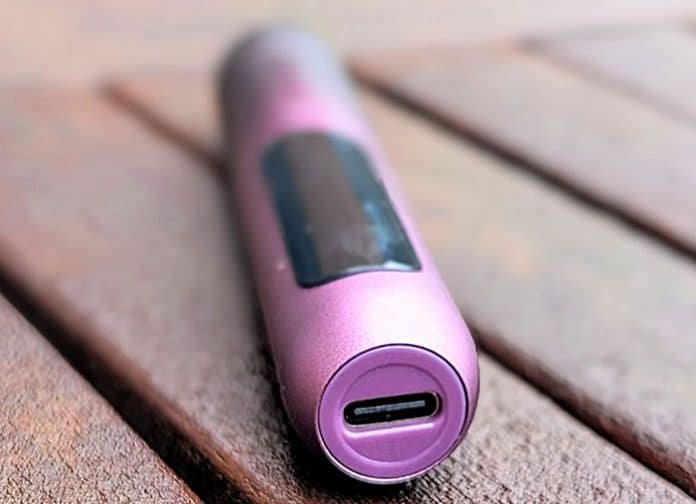
Check the seating. The cable should push in with a definite click and sit straight. A cable that wobbles, leans, or only works when held at an angle is reporting a worn or pushed-in port, which is hardware damage, not a settings problem. On a brand-new device that is a return, not a repair.
Give it the 30 minutes. A battery that has self-discharged deeply in storage can sit silent on charge before the light wakes. Leave it on the proven cable and the low-power source for a full 30 minutes before concluding anything (the next section explains the timing). If the device feels warm, unplug it, let it cool for 10 to 15 minutes, then try again; a protection trip after overheating locks charging out until the device cools.
Check for a lock. A minority of disposables have a button or a lock switch, often five clicks or a small slider on the base. A locked device can look completely dead. If yours has any button at all, the lock is worth ten seconds before the returns queue.
How Long to Wait Before You Call It Dead
The guides disagree wildly on this, from 10 minutes to an hour and a half, because two different waits are being mashed into one number. Separating them ends the argument:
Time to first sign of life: a healthy device on a good source lights up at once. A deeply discharged one can take up to about 30 minutes. Thirty silent minutes on a proven cable and source is the honest limit; beyond it, waiting longer changes nothing.
Time to full: from flat, most disposables take 30 to 90 minutes depending on battery size, roughly 30 to 45 minutes at 650mAh, 45 to 60 at 800mAh, and 60 to 90 at 1,000mAh. A device that lights up but is not full yet is not faulty; it is charging.
Those charge times, and how they scale with battery size across the current models, are set out in full in longest lasting disposable vape.
The verdict rule, then: proven cable, low-power source, clean port, 30 minutes, no light and no screen. A brand-new device that fails that test has a dead battery or a broken charging path from the factory, and no home step remains.
It Charges but Will Not Fire
A different problem wearing similar clothes. If the light or screen behaves normally on charge, the percentage climbs, and the device still will not produce vapour off the cable, the charging side has done its job and the fault sits in the draw path: sensor, airflow, or an empty tank that a previous owner of the shelf-life forgot to mention. Two charging-side notes before you move on: let a freshly charged device rest a few minutes before judging it, and do not puff it while it is plugged in, which several devices block by design and none benefit from. (Raz owners searching why the device does not work after charging land here most often; the answer is the same rest, then the draw-path diagnosis.)
That diagnosis, blink codes included, is the hub guide: why is my vape not hitting.
Brand Charging Notes
Readers arrive asking for Ria, Vozol, Adjust and Nexa by name, so here is the honest position: the charging hardware across current disposables is far more alike than the branding suggests. Every brand in this site’s keyword research, Geek Bar, Raz, Lost Mary, Vozol, Ria, Adjust and Nexa included, builds the same way, and every step above applies unchanged:
Pattern | What it means for charging |
Port on the base, USB-C | The current standard on all of the brands above. If your cable does not match the port, you have the wrong cable, not a faulty device |
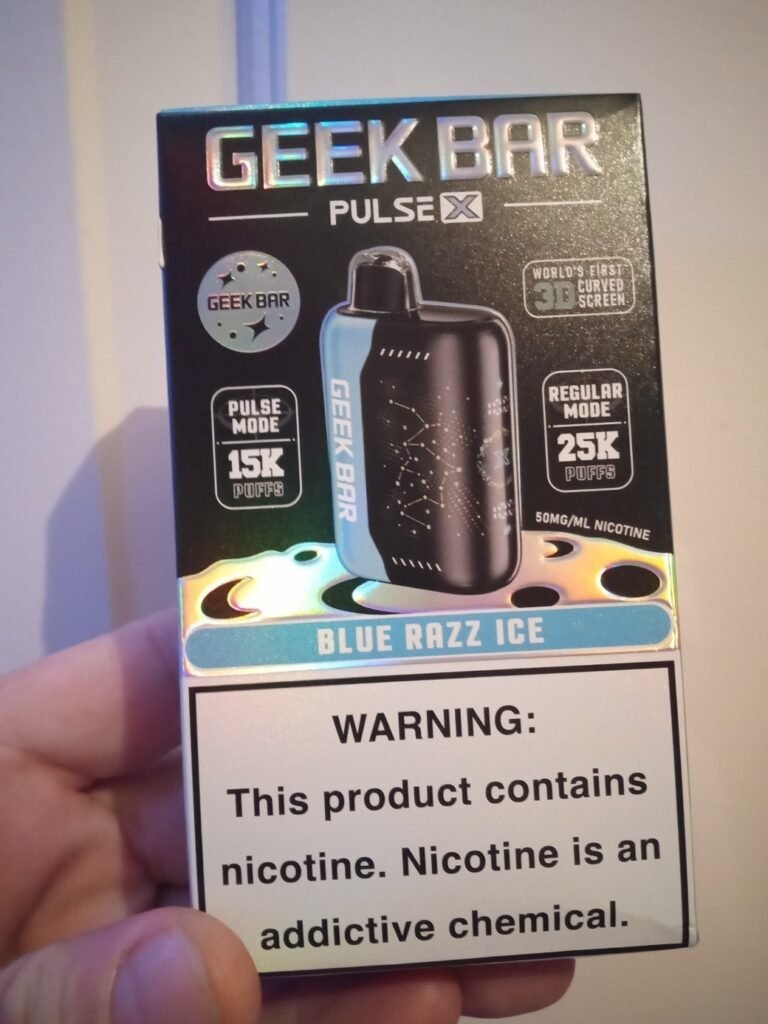
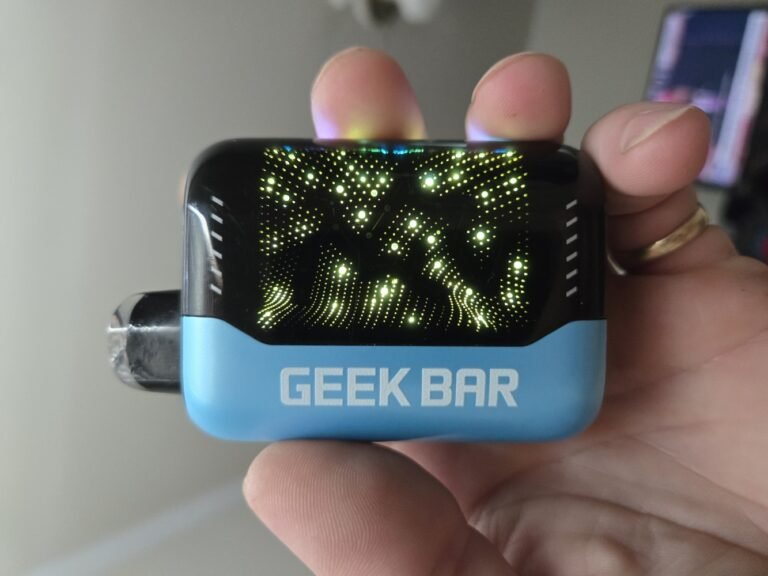
Screen models (Geek Bar Pulse line, Raz DC25000, Nexa Ultra class) | The display is your charging witness: percentage and a charging icon. A dark screen after the ladder is a stronger dead signal than a dark LED |
LED-only models (most Vozol, Ria, Lost Mary and Adjust lines) | One light does every job. Solid or breathing on charge, off or changed at full; use the decoder table above |
No port at all (older and budget lines, Breeze Pro class) | Not rechargeable, whatever the puff count. When it dies, it is done |
Where a brand does publish charging specifics, they live in the manual for your exact model; the ladder above is deliberately built to work without it.
Safety While You Diagnose
If the device gets hot on charge, unplug it and let it cool on a surface that cannot burn. A disposable that heats while charging is finished, whatever the light says.
Nothing metal goes in the port. Ever. The cleaning step above is the whole toolkit: air, then wood, gently.
Never open a disposable, and never try to wake one with stripped wires or another battery. The jump-start videos are demonstrating a fire risk, not a fix.
Do not leave a suspect device charging overnight or unattended. Diagnose it awake, in the 30 minutes the ladder asks for.
When It Is Dead: The Short Return Path
Failed the verdict rule? Then the remaining steps are commercial, not technical, and they reward speed: go back today rather than next week, because return windows on disposables can be as short as 24 hours and some shops take none at all. Take the box and the receipt, and a ten-second phone video of the device showing no light on a working cable saves the whole argument. The seller is the first stop, the brand only if the seller refuses, and if you are offered a replacement, open it and test it in the shop before you leave.
The complete dead-on-arrival playbook, counterfeit checks included, is part of brand new disposable vape not working.
Frequently Asked Questions
Why is my vape lighting up but not charging?
The light proves power is arriving; it does not prove the battery is accepting it. The usual causes, in order: the battery is already full (try using the device), the cable connects loosely and interrupts the charge, or a protection trip has paused charging after heat. Give it the cool-down and a cable swap, then watch the percentage or light state over 30 minutes. If nothing has changed in that time on proven gear, the battery or charging chip is faulty.
Can a disposable vape be recharged?
Only if it was built to be. A USB-C port on the base means yes; no port means the battery was sized to finish the liquid and the device cannot be recharged by any safe method. There is no legitimate way to recharge a port-less disposable, and the improvised methods in videos are genuinely dangerous.
How long does a disposable vape take to charge?
From flat, roughly 30 to 90 minutes depending on battery size: about 30 to 45 minutes for a 650mAh class battery, 45 to 60 at 800mAh, and 60 to 90 at 1,000mAh. Most devices are usable again after 15 to 20 minutes if you are in a hurry, and all of them charge best on an ordinary low-power source rather than a fast charger.
Why does my disposable blink when I unplug it?
That blink is the device reporting its battery state the moment the charger leaves: usually that the battery is still low, or that the charge it took is not holding. Run the ladder once (cable, low-power source, full 30 minutes). If it blinks on unplugging and then will not fire either, you are looking at a battery that is not accepting charge, which is the dead-on-arrival path on a new device and end of life on an old one.
How do I reset a disposable vape?
Most disposables have no reset to perform: there is no menu and no button combination on a draw-activated device. The closest thing to a reset is the ladder itself: unplug, let the device rest 10 to 15 minutes (which clears a heat protection trip), then charge it fully on a low-power source. If yours has a button, check it is not locked, five clicks is the common pattern. A device that still does nothing after that is not waiting for a reset; it is faulty.
One Comment